Upload your data. See your warehouse.
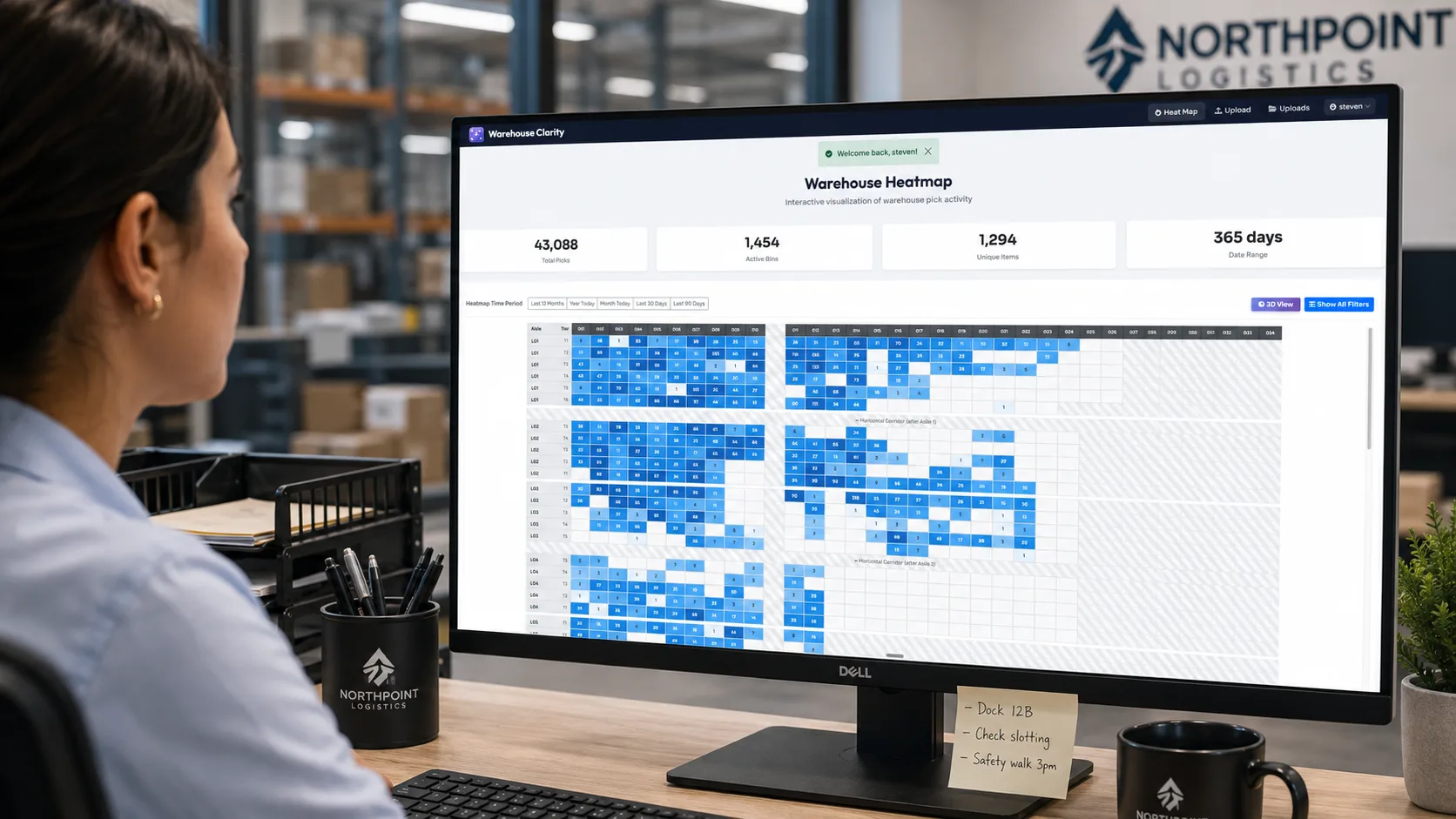
2D facility heat map
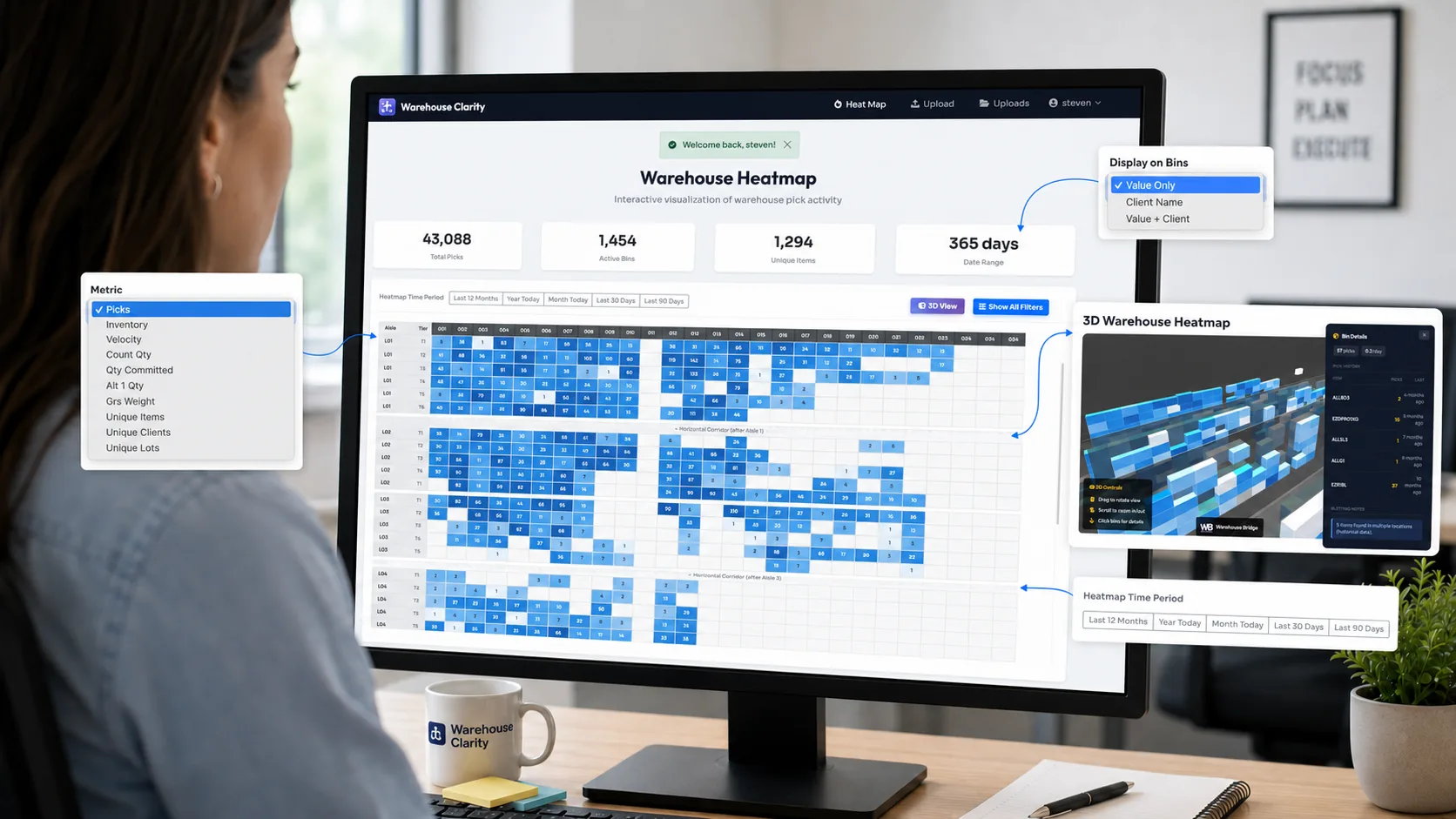
Every aisle, section, and tier color-coded by activity. See at a glance which zones are hot, which are cold, and where picks cluster. Toggle between pick count, velocity, unique items, and storage density.
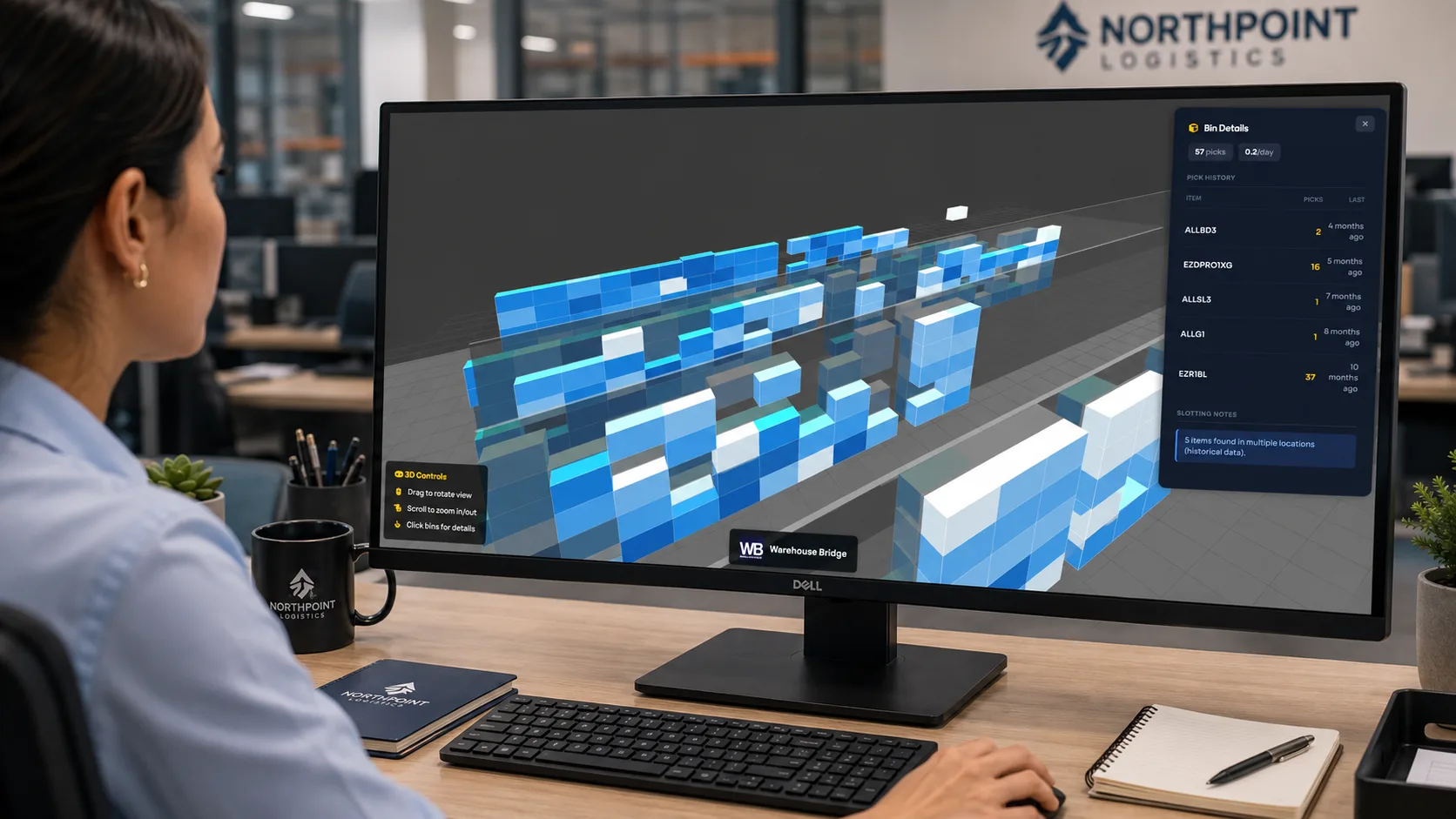
Interactive 3D warehouse visualization
Rotate, zoom, and click through a full 3D model of your warehouse. Click any bin to see its details — pick count, velocity, contents, and history. Powered by three.js, runs in any modern browser.
Upload a CSV or Excel export — from any WMS
Export your bin locations and upload the file. Our wizard auto-detects your aisles, sections, and tiers — no floor plan to draw, no custom development, no IT project. If your WMS can produce a CSV or Excel export, it works.
Your warehouse changes, so keep the map current by re-uploading any time — we remember your layout, so refreshes take minutes. Already on Camelot (Excalibur)? Your provider can enable live sync so your map stays current automatically — ask them about it.

Your layout, detected automatically
No layout editor to wrestle with, no half-day setup project for your ops team. The wizard reads the location codes in your export and figures out your aisles, sections, and tiers — then builds your heat map in minutes.
Unusual location scheme, or want a hand? Talk to us and we'll help you get set up — but most warehouses are up and running straight from a single upload.
Drill down from heat map to bin details
Click any cell on the heat map and see exactly what's in that bin — pick count, velocity, unique items, and storage density. Everything drills down from the same auto-detected layout, so it always matches your facility.
See it all in the live demo — then on your own warehouse.
The demo is free to explore. Yours: $99/mo, cancel anytime, 30-day money-back guarantee.